

기능
- 관리자 이외의 사용자가 작성한 모든 글/댓글의 게시 알림, 회원가입 알림 받기
- 알림 페이지의 알림 문구를 클릭하면 해당 글로 이동
- 알림 페이지에 글/댓글 작성 시간, 회원가입 시간 표시
- 수동으로 알림 읽음 처리 (왼쪽 체크박스)
- 필요 없는 알림은 삭제 처리 (오른쪽 체크박스+삭제 버튼)
- 알림 버튼에 읽지 않은 알림 수 표시
사용법
- notification.php
- notification_read_update.php
- notification_install.php
- notification_delete.php
폴더에는 이렇게 네 개의 파일이 들어 있습니다.
1. 압축 해제 후 notification_install.php를 제외한 나머지 파일들은 public html/bbs 폴더에 업로드해주세요. notification_install.php는 public_html에 업로드 하시면 됩니다.
2. 주소창에 https://갠홈 주소/notification_install.php를 쳐서
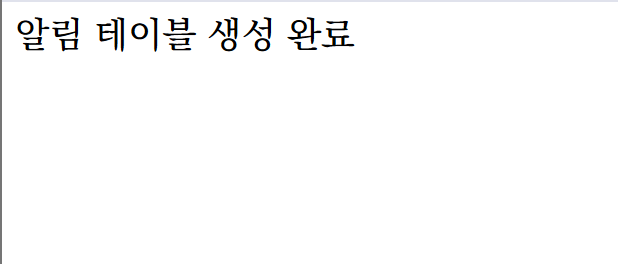
이 화면을 보셔야 됩니다. 그러지 않으면 모든 것이 시작되지 않습니다,, 너무무서워
3. 다운 받으신 notification 폴더 내의 파일을 업로드하는 것 외에도 손봐야 되는 파일들이 있습니다.
- register_form_update.php
- write_update.php
- write_comment_update.php
+
- 알림 버튼을 달 스킨 폴더의 list.skin.php 혹은 view_comment.php 등...
3-1) register_form_update.php에서 다음 코드를 찾아주세요. (Ctrl+f로 검색 가능)
insert_point($mb_id, $config['cf_register_point'], '회원가입', '@member', $mb_id, '회원가입');
이 코드 바로 아래에 다음 코드를 복붙해주세요.
// 회원가입 알림
$admin_id = $config['cf_admin'];
$noti_text = "{$mb_nick}님이 회원가입했습니다.";
$now = G5_TIME_YMDHIS;
sql_query("
INSERT INTO g5_notification
SET
mb_id = '{$admin_id}',
bo_table = '',
wr_id = 0,
noti_text = '".sql_real_escape_string($noti_text)."',
is_read = 0,
regdate = '{$now}'
");
3-2) write_update.php에서 다음 코드를 찾아주세요.
$wr_id = sql_insert_id();
이 코드 바로 아래에 다음 코드를 복붙해주세요.
// 글 게시 알림
$admin_id = $config['cf_admin'];
if ($member['mb_id'] != $admin_id) {
$noti_text = "“{$board['bo_subject']}” 게시판에 새 글이 등록되었습니다.";
sql_query("
INSERT INTO g5_notification
SET
mb_id = '{$admin_id}',
bo_table = '{$bo_table}',
wr_id = '{$wr_id}',
cmt_id = 0,
noti_type = 'write',
noti_text = '".sql_real_escape_string($noti_text)."',
is_read = 0,
regdate = '".G5_TIME_YMDHIS."'
");
}
3-3) write_comment_update.php에서 다음 코드를 찾아주세요.
$comment_id = sql_insert_id();
이 코드 바로 아래에 다음 코드를 복붙해주세요.
// 댓글 게시 알림
$admin_id = $config['cf_admin'];
if ($member['mb_id'] != $admin_id) {
$parent_write = get_write($write_table, $wr_id);
$noti_text = "“{$parent_write['wr_subject']}” 글에 새 댓글이 달렸습니다.";
sql_query("
INSERT INTO g5_notification
SET
mb_id = '{$admin_id}',
bo_table = '{$bo_table}',
wr_id = '{$wr_id}',
cmt_id = '{$comment_id}',
noti_type = 'comment',
noti_text = '".sql_real_escape_string($noti_text)."',
is_read = 0,
regdate = '".G5_TIME_YMDHIS."'
");
}
3-4) 알림 버튼 코드. 적당한 자리에 넣어주세요.
<? if ($admin_href) { ?>
<div class="bo_fx txt-right" style="margin-top: 100px; padding: 20px 0; display:flex; gap:6px; justify-content:flex-end;">
<a href="<?=G5_BBS_URL?>/notification.php"
class="ui-btn"
target="_blank">
알림<?= $noti_cnt ? " ({$noti_cnt})" : "" ?> </a>
질문 주셔도 명쾌한 답을 못 드리고 질문자 분 옆에서 같이 사이좋게 골머리 앓을 확률이 높습니다... 편하게 질문 주시면 아는 선에서 답해드릴게요!
행복합시다 !
'배포' 카테고리의 다른 글
| 갠홈 진입장벽 부수기 프로젝트 (갠홈 시작하는 법) (0) | 2026.02.04 |
|---|---|
| 아보카도 에디션 퍼스널 / 부제목이 있는 bbs 스킨 배포 (0) | 2026.01.22 |
| [아보카도 에디션 퍼스널] 댓글이랑 대댓글 작성자명에┗ 이거 달아주기 (0) | 2026.01.19 |
| [아보카도 에디션 퍼스널] #비밀글 #보호글 #멤버글 태그가 사진만 있는 게시글에선 출력이 안 되는 문제 (0) | 2026.01.19 |